How to Download Your Instagram Followers and Following Data (Step by Step)
Last reviewed:
Reviewed by / developer: TrackFollows
The Instagram app does not make it easy to compare your followers with the accounts you follow. What Instagram does offer is a way to export a copy of your information from Accounts Center, and that export includes both lists. This guide walks through exporting only your followers and following data, one step at a time. Menu names and positions vary by app version, device, language, and account type, so compare each step with what you actually see on screen. Instagram Help Center: Review and export a copy of your information
Before you start
- You must be able to log in. An export can only be requested from inside the account. If you are locked out, follow Instagram's account recovery process first.
- You never need to give your password to another service. The export happens entirely inside the Instagram app or website. Be careful with any app or site that asks for your Instagram password to "analyze followers". See how to choose a safe unfollower app for details.
- Check storage and your browser. A followers-and-following-only export is usually small, but adding other categories makes it larger. On some Android phones, using an in-app browser such as the Naver app as the default browser has corrupted ZIP downloads, so we keep a separate browser change guide.
Export steps
① Open Accounts Center
From your profile, tap the menu (☰) in the top-right corner and open Accounts Center. Some accounts see Meta Account settings instead of Accounts Center.
② Your information and permissions → Export your information
In Accounts Center, tap Your information and permissions, then Export your information. Tap Create export and, if several profiles are linked, choose the Instagram profile you want to analyze.
③ Choose Export to device
Select Export to device. There is also an option to send the export to an external service, but if your goal is to look at your follower lists yourself, downloading to your device is simpler.
④ Select only "Followers and following"
Under Customize information, clear the selection first, then check only Followers and following and save. Selecting only what you need keeps the file small and avoids downloading photos, messages, and other data the analysis does not need.
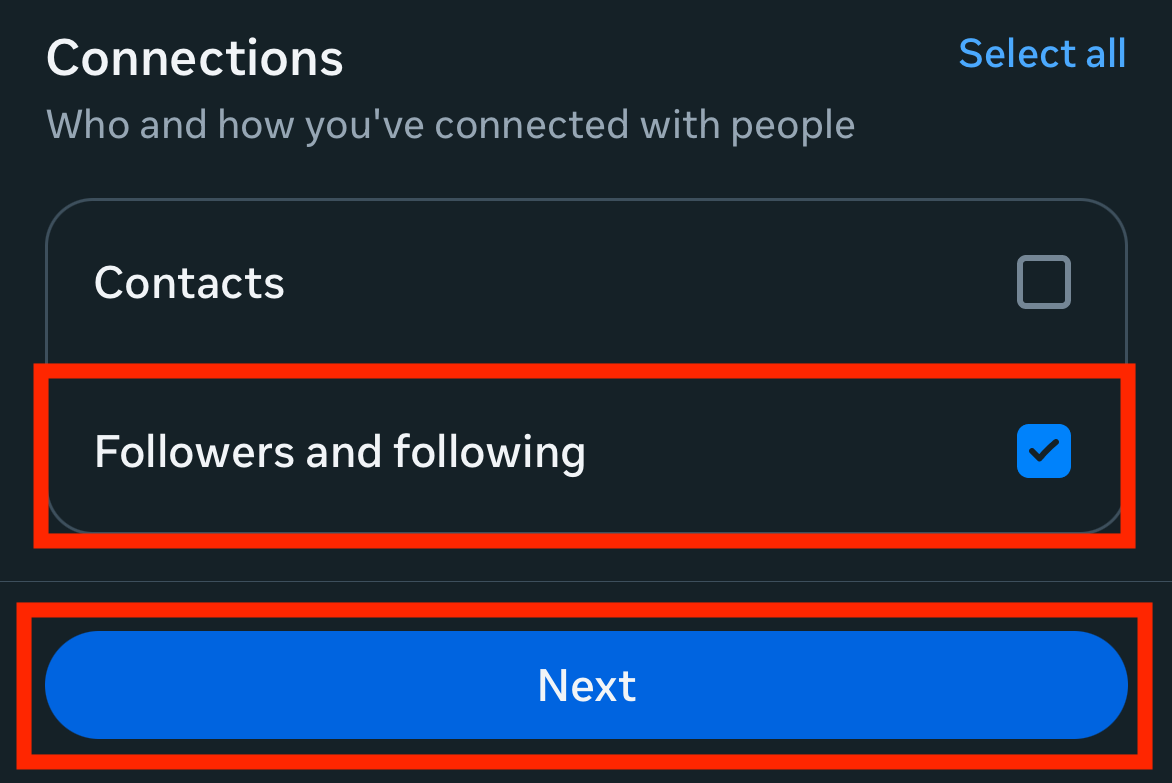
Instagram screen captured for the TrackFollows guide. It may look different on your app version or language.
⑤ Date range "All time", format "JSON"
- Date range: choose All time. If you limit it to, say, the last year, the export may contain only relationships recorded in that period, which can make the "not following back" list look much longer than it really is.
- Format: JSON is recommended. HTML is also available, but its dates are written in the export language, and some dates cannot be read reliably. The JSON vs HTML comparison explains the difference.
When everything looks right, tap Start export. Instagram may ask you to re-enter your password at this point; enter it only on Instagram's own screen.
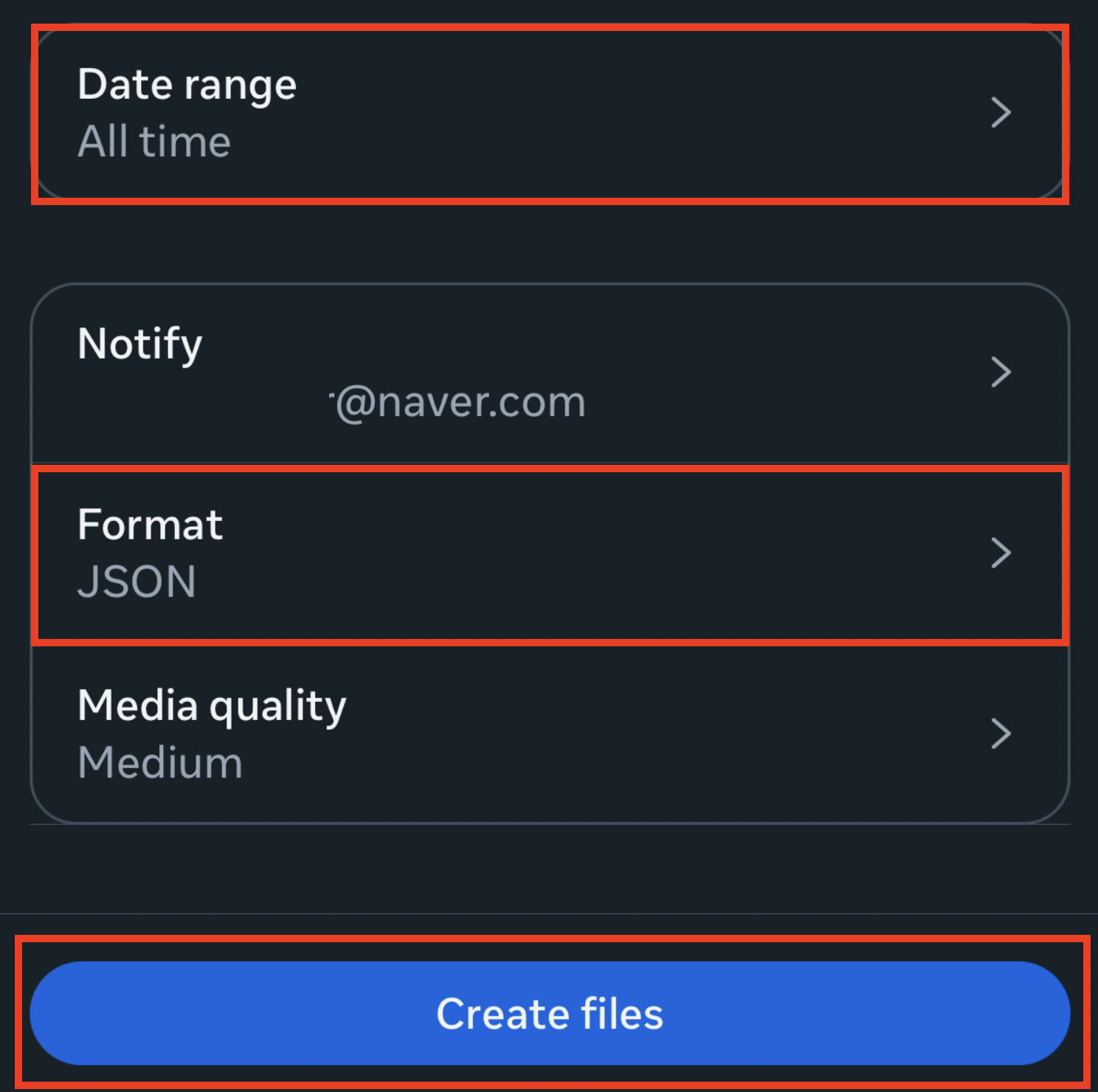
Instagram screen captured for the TrackFollows guide. It may look different on your app version or language.
⑥ Wait for the notice, then download
Instagram prepares the export file, and the time it takes varies. The Help Center says the notice that your export is ready can take up to 30 days. When it is ready, download it from Available downloads on the same Export your information screen. According to the Help Center, the download stays available for only 4 days, so do not leave it too long after the notice arrives.
What do I do with the file?
The download is a ZIP archive. On the TrackFollows home page, select the ZIP as it is, without extracting it, to see your followers and following lists compared. If you already extracted it, use individual file analysis and select followers_1.json (or .html) and following.json (or .html) separately. For what else is inside the ZIP, see the export ZIP structure explained.
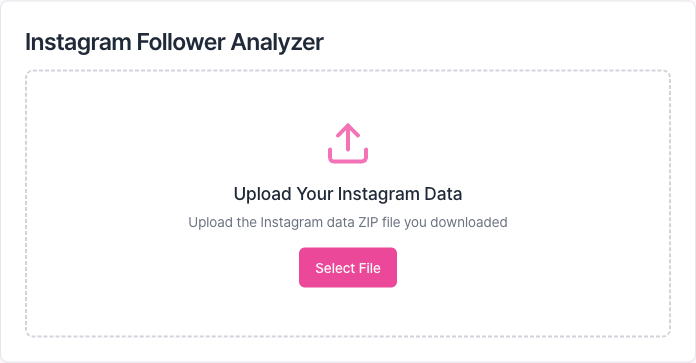
The file selection area on the TrackFollows home page. Drop the ZIP here or use the button.
The file you select is analyzed in your browser on your device. TrackFollows does not send the original file or your follower lists to a server for analysis. Usage analytics, error diagnostics, and advertising data processing are described in the privacy policy.
After you download
- The export reflects the lists at the time you requested it. Follows and unfollows after that are not included.
- The Help Center notes that deleted content is not included. Deactivated or deleted accounts may be missing from the lists or counted differently from the numbers in the app.
- The export contains account information, so do not send it to others or leave it on a shared computer. You can delete it yourself once you are done.
- If you cannot find the file or the ZIP will not open, see the export troubleshooting guide.
The short version
- Accounts Center → Your information and permissions → Export your information → Create export
- Export to device → select only "Followers and following"
- All time + JSON → Start export
- Download the ZIP within 4 days of it being ready → select it as-is on TrackFollows
A step-by-step version with screenshots is also available in the unfollower check guide.
Sources