Reading Your Follower Check Results: Why the Numbers Differ from the App
Last reviewed:
Reviewed by / developer: TrackFollows
Analyzing an export produces several lists and totals. When the numbers do not match what you expected, it is tempting to assume the tool is wrong, but most of the time the cause is that the export file and the app screen show different information. This article explains how each item on the TrackFollows results screen is calculated and why the totals can differ.
What each result means
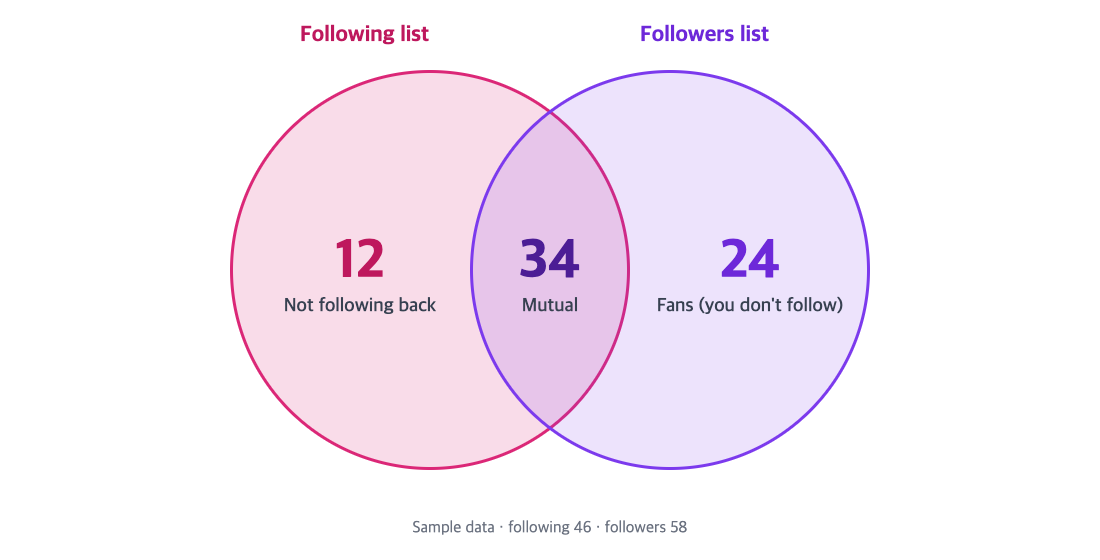
How the three groups relate, drawn from sample data (46 following, 58 followers).
Not following back
These are accounts in your following list that are not in your followers list. People often call them "unfollowers", but strictly speaking they are "accounts that are not currently mutual". The list can include:
- Accounts that followed you and later unfollowed
- Accounts that never followed you (celebrities, brands, news or hobby accounts)
- People who requested to follow you while your account is private but whom you have not approved yet
A single export cannot tell these cases apart. To find followers who actually disappeared, see the "compare two exports" method in how to check who unfollowed you.
Fans (followers you do not follow)
These are accounts in your followers list that are not in your following list — people who follow you but whom you do not follow. If you want to follow back, you can review their profiles here and decide.
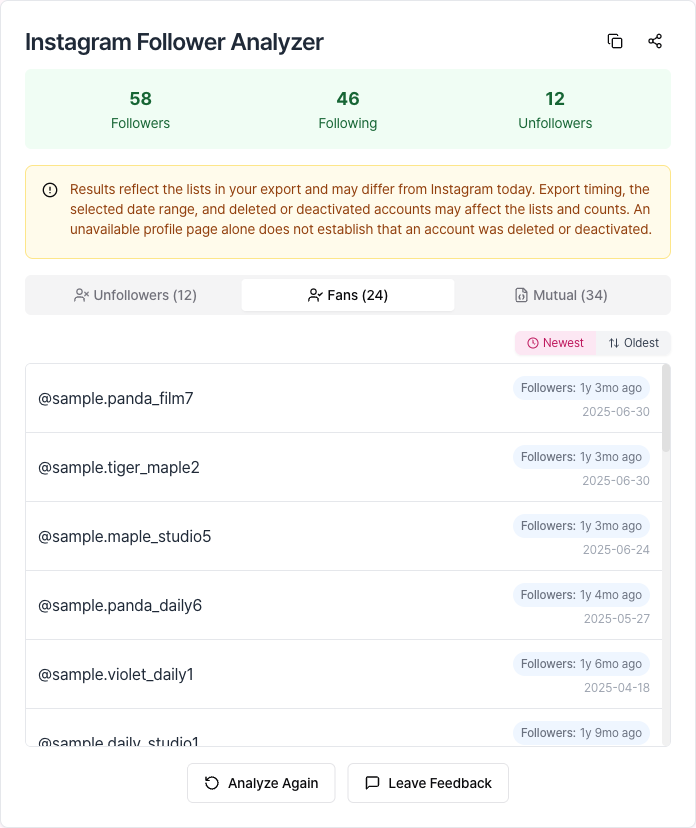
Captured with sample data. Usernames starting with sample. are not real accounts.
Mutual
These are accounts in both lists: you follow each other.
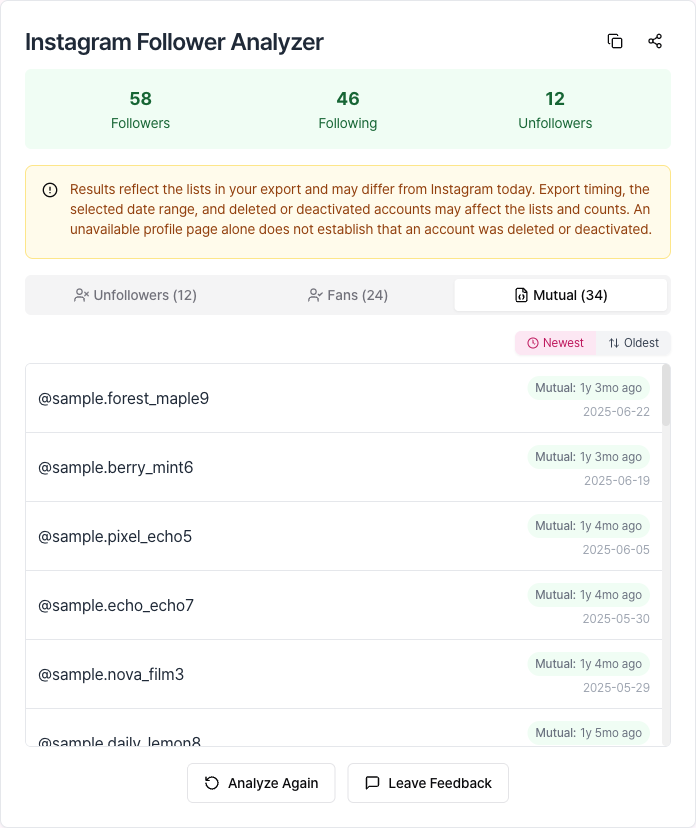
Captured with sample data. Usernames starting with sample. are not real accounts.
The date recorded in the file
The date used for sorting comes from the export's timestamp, which is when the follow relationship was recorded. It is not an unfollow date, and if Instagram changes how it records this, it may differ from the day the follow actually happened. HTML exports may have empty dates depending on language. JSON vs HTML
How the calculation works
TrackFollows processes the two lists in this order:
- It finds
followers_1.json(split intofollowers_2.jsonand so on for large accounts) andfollowing.jsonin the ZIP, excluding files in Threads folders. - It lowercases usernames and removes duplicates, because Instagram usernames are not case-sensitive.
- It skips entries whose profile URL is not a regular profile (entries that appear to be inactive accounts, for example).
- It uses set differences and intersections to compute not following back, fans, and mutuals.
All of this happens in your browser on your device. The original file and the lists are not sent to a server for analysis.
Common reasons the numbers differ from the app
1. Timing
The file is a snapshot taken when you requested it. Changes during preparation or after you downloaded it are not included. It is normal for today's number in the app to differ from an export requested a few days ago.
2. The date range was not "All time"
If the export was limited to, for example, the last year, it may contain only relationships recorded in that period. Long-standing mutual followers can then be missing from the followers file and wrongly appear as "not following back". Re-exporting with All time is the first thing to check.
3. Deactivated, deleted, or restricted accounts
Accounts that are temporarily deactivated or deleted may be counted differently in the app and in the export. Totals can also change as Instagram removes spam and fake accounts. Instagram: Reducing inauthentic activity
4. Username changes
The export records usernames as they were at that time. If someone changes their username, you may see the old name in results, or the profile link may say the page is not available.
5. How the app displays counts
Profile counts are rounded for large numbers (for example "12.3K"), which makes exact comparison hard. Scrolling a long follower list in the app may also not show every account, so a manual count can differ from the displayed total.
Before you use the results
- Results are based on the file and are not guaranteed to match the current state on Instagram. Before acting on a result, check the account's profile yourself.
- If you screenshot and share a results list, remember it contains other people's usernames.
- Unfollowing many accounts in a short time based on the results can get your activity limited.
Recap
- Not following back = following − followers; fans = followers − following; mutual = accounts in both lists
- The date is when the follow was recorded, not an unfollow date
- Differences usually come from timing, date range, inactive accounts, username changes, or how the app displays counts
If results still look wrong, check the export troubleshooting guide, export again with All time and JSON, and analyze it on the home page.
Sources